
- All
- Product Name
- Product Keyword
- Product Model
- Product Summary
- Product Description
- Multi Field Search

Views: 159 Author: Site Editor Publish Time: 2026-07-30 Origin: Site


Introduction: Why Paper Quality Matters
What Is High-Quality Copy Paper Made Of?
Key Factors to Consider When Choosing Copy Paper
Matching Paper to Your Printer Type
How to Store and Handle Copy Paper
Why Choose Double Tree Paper Group?
FAQ
In any professional environment, the quality of your documents reflects the quality of your business. Whether it's a client proposal, a marketing flyer, or an internal memo, using substandard paper can lead to smudged text, paper jams, and a generally unprofessional appearance.
At Double Tree Paper Group, we understand that choosing the right copy paper is about more than just cost—it's about reliability, performance, and sustainability. This guide will help you navigate the technical specifications to make an informed decision for your office or printing needs.
The foundation of good copy paper is the pulp. Most high-quality office paper is made from 100% virgin wood pulp.
Virgin Pulp: Fibers are longer and stronger, resulting in less dust and fewer paper jams. It provides a brighter, smoother surface for sharper text and vibrant images.
Recycled Pulp: While eco-friendly, lower-grade recycled paper can sometimes be rougher and produce more dust, which may affect sensitive printer components over time.
High-quality paper undergoes rigorous processing to ensure uniform thickness and a smooth surface, which is essential for consistent toner or ink adhesion.
When sourcing copy paper, there are four main technical specifications you should evaluate:
1. Weight (GSM)
GSM stands for Grams per Square Meter. It indicates the density and thickness of the paper.
70gsm: The standard weight for everyday internal documents and drafts. It is cost-effective and lightweight.
75gsm - 80gsm: The preferred choice for professional external communication. It offers better opacity (less show-through) and a more substantial feel, reducing the risk of jamming in high-speed printers.
2. Brightness
Brightness is measured on a scale of 1 to 100. It refers to how much light the paper reflects.
Standard (92-94): Suitable for everyday text documents.
Premium (96-100): Ideal for presentations and color printing. Higher brightness provides greater contrast, making colors pop and black text look sharper.
3. Opacity
Opacity measures how much light passes through the paper. High opacity is crucial for double-sided (duplex) printing. If opacity is too low, the text on the back of the page will be visible from the front, making the document difficult to read.
4. Sustainability & Certification
Modern businesses prioritize eco-friendly sourcing. Look for certifications like:
FSC (Forest Stewardship Council): Ensures the paper comes from responsibly managed forests.
ISO 14001: Indicates the manufacturer meets international environmental management standards.
Not all copy paper behaves the same way in every machine.
Printer Type | Paper Requirement | Why It Matters |
|---|---|---|
Laser Printers | Smooth, heat-resistant paper | Laser printers use heat to fuse toner. The paper must withstand high temperatures without curling or releasing gases that damage the drum. |
Inkjet Printers | Absorbent, quick-drying paper | Inkjet printers spray liquid ink. The paper needs to absorb the ink quickly to prevent smudging or "feathering" (where ink bleeds into the fibers). |
High-Speed Copiers | Low dust, high stiffness | High-volume machines are sensitive to dust. Premium wood-free paper minimizes dust buildup, extending the life of your equipment. |
Pro Tip: Double Tree Paper Group manufactures Woodfree Offset Paper that is rigorously tested to perform flawlessly in both laser and inkjet environments, ensuring versatility for your office.
Even the best paper can perform poorly if stored incorrectly. Follow these tips to maintain quality:
Control Humidity: Paper is hygroscopic, meaning it absorbs moisture from the air. Store paper in a cool, dry place (ideally 20°C with 50% humidity). High humidity causes paper to curl and jam; low humidity causes static electricity.
Keep it Flat: Always store reams flat on a pallet or shelf. Storing them on their side can cause the sheets to bend, leading to feed errors.
Fan the Paper: Before loading a fresh ream into the tray, fan the edges. This separates the sheets and reduces static cling, ensuring a smooth feed.
As a leading manufacturer and exporter, Double Tree Paper Group offers more than just a commodity; we offer a partnership in quality.
Our Advantages:
Premium Raw Materials: We use 100% virgin wood pulp to ensure high brightness and minimal dust.
Versatile Range: From standard 70gsm to premium 80gsm, and various brightness levels, we have the right grade for every application.
Eco-Conscious: Our production processes are certified (FSC, ISO9001, ISO14001), helping you meet your corporate sustainability goals.
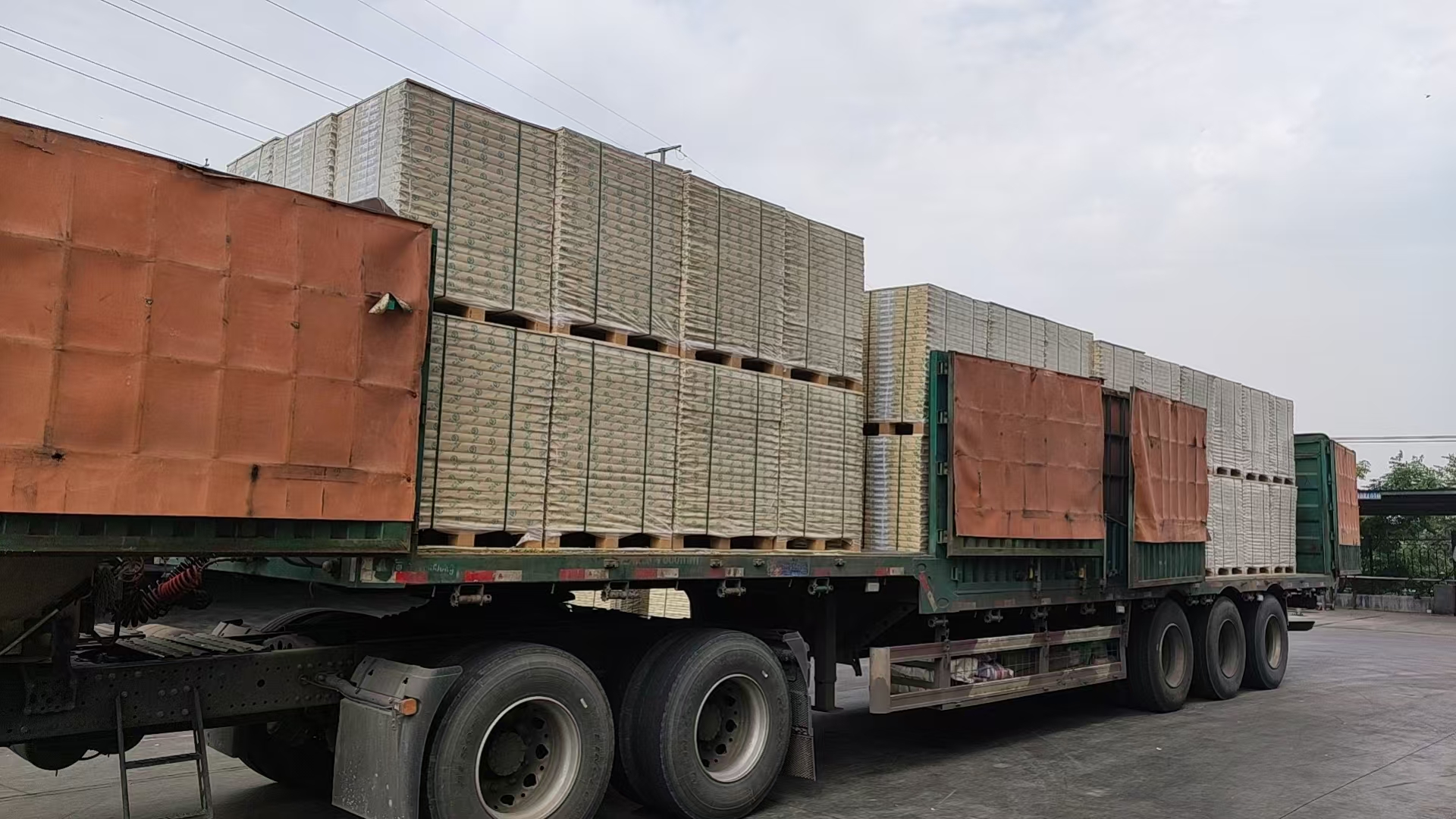
Global Logistics: With a monthly export volume of 200-300 containers, we ensure reliable delivery to over 200 countries.
Q1: What is the difference between 70gsm and 80gsm paper?
A: 80gsm paper is thicker and more opaque than 70gsm. It feels more premium and is less likely to show ink strike-through, making it better for double-sided printing and client-facing documents.
Q2: Can I use Double Tree copy paper in my home inkjet printer?
A: Yes. Our woodfree offset paper is designed to be multipurpose, working efficiently in laser printers, inkjet printers, and photocopiers.
Q3: How long does copy paper last in storage?
A: If kept in its original packaging in a cool, dry environment, copy paper can last for years. However, once the wrapper is opened, it is best used within a few months to prevent moisture absorption.
Q4: Is your copy paper recyclable?
A: Yes, our paper is fully recyclable and biodegradable, supporting a circular economy and reducing environmental impact.
